
Moodle 5.3, the new long-term support release, arrived today. For organisations using Moodle, it raises a familiar question: are the improvements worth the work of upgrading?
There are useful changes to how courses look, how learners move through them and how teaching teams manage assessment. The longer support window makes this a significant release for planning ahead. The decision should start with your courses, your users and what you want to work better.
What would your learners and teaching team gain?
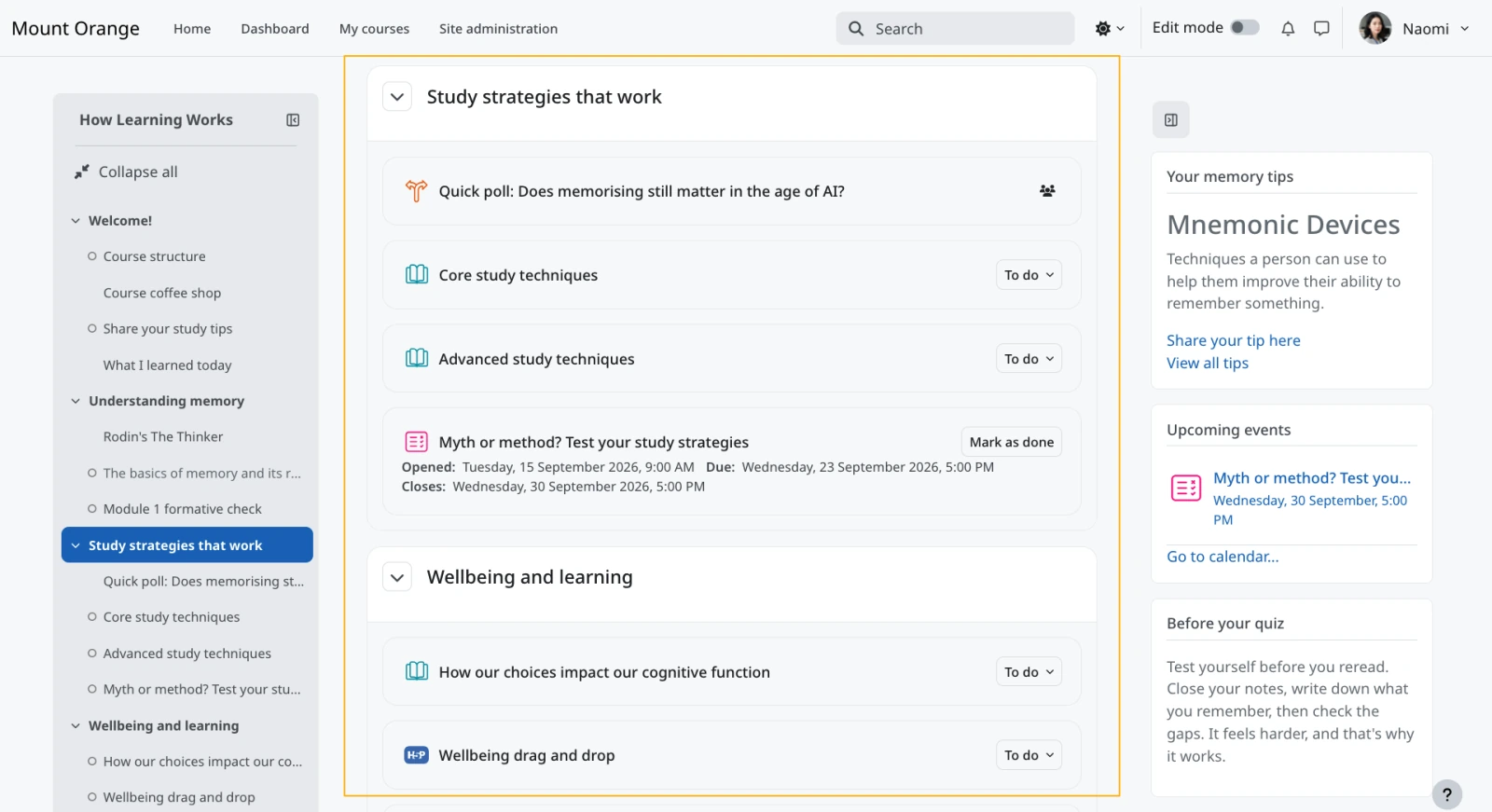
A refreshed course experience. Moodle’s official feature overview shows updated typography, centred content and clearer course sections. Boost also gains Light, Dark and System display modes, although dark mode is experimental and must be enabled by an administrator. A custom theme may look different, so ask to see your own site. See Moodle’s course-layout screenshot.
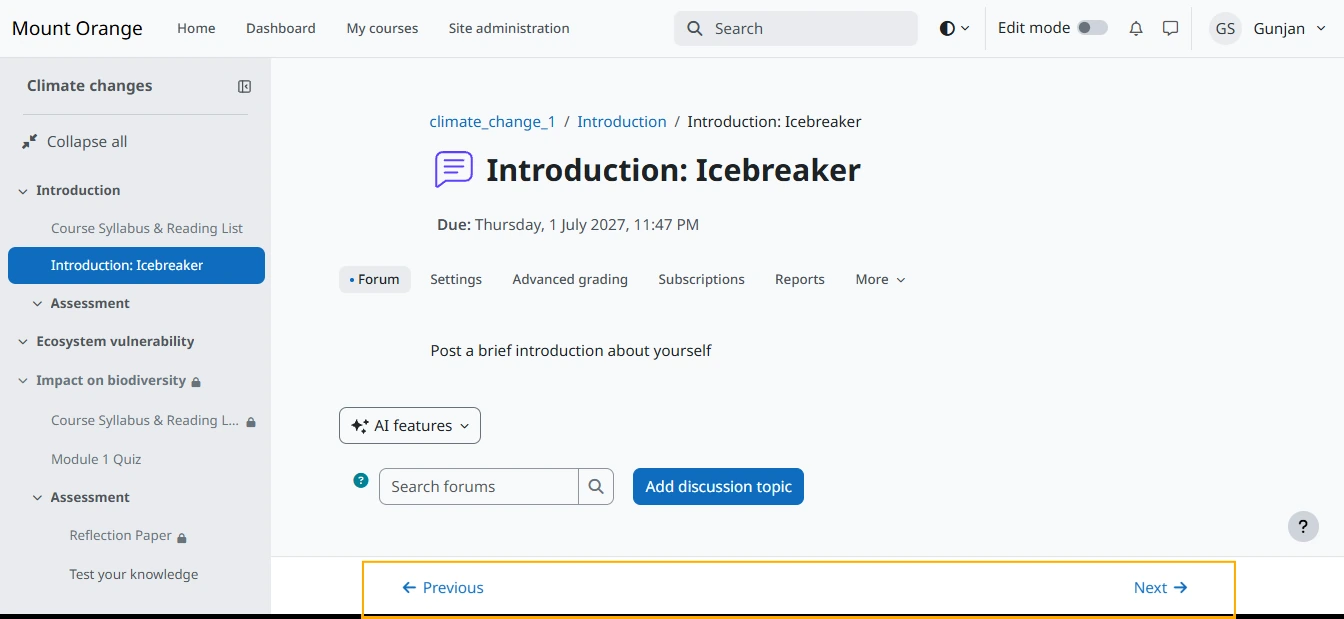
An easier route through activities. Previous and Next navigation lets learners move between activities without repeatedly returning to the course homepage. Completion controls sit alongside it. This is enabled by default for Custom sections and Weekly sections courses, with exceptions while learners are completing activities such as quizzes. See Moodle’s navigation screenshot.
More useful teaching tools. With multiple-marker workflows configured, learners can see each marker’s feedback alongside the overall comments. Improved learning-outcome tools help connect activities to intended outcomes, while collapsible accordion sections give authors another way to organise course content. The value depends on how your teaching team uses them.
Why long-term support matters
Moodle’s official support schedule gives 5.3 general support until 4 October 2027 and security support until 1 October 2029. That longer security window gives institutions more room to plan major upgrades around teaching calendars and budgets. Routine security updates and plugin maintenance still need to continue.
Your starting point matters. Moodle 4.5 LTS remains security-supported until 4 October 2027, allowing time to prepare. Moodle 5.0 reaches the end of security support today and needs a prompt route to a supported version. If you are on an older 4.x release, check its own support deadline.
The features above are specific to 5.3. Moving from an older version may bring additional improvements introduced along the way. Compare your current experience with a working 5.3 copy; a release alone will not fix confusing course design.
Upgrading need not mean starting again
An upgrade does not normally mean rebuilding your courses or asking learners to start over. Your provider should assess the existing site, prepare an upgraded copy and show you that the important things still work before scheduling the change.
There is technical work to scope. Check themes, plugins, sign-in and integrations against the 5.3 requirements. Sites earlier than 4.4 need an intermediate upgrade; older customisations may need attention. These are things an experienced provider should explain and manage.
Moodle’s upgrade guidance recommends testing on a copy first. Walk through real tasks: sign in, open a course, submit an assignment, complete a quiz and view feedback. Check enrolments, grades, completion records and important integrations too.
Your teaching team can confirm that representative courses work as intended. The hosting team should resolve the technical dependencies and explain any changes. You should not need to become an upgrade specialist to make the decision.
Put a practical plan around the change
Ask for preparation, testing, a maintenance window and support afterwards to be included in the plan. Agree the timing around teaching and assessment, and confirm what is included in your hosting agreement.
The provider should have tested backups and a recovery plan, including how recent learner activity would be protected if a restore were needed.
Agree who approves the switch, tells users about any interruption and handles problems afterwards. Clear responsibilities make the work easier to judge and manage.
Is it worth upgrading?
For many organisations, the combination of useful improvements and a longer support window makes 5.3 a worthwhile destination. Whether to move now should depend on benefits for your users and a tested route from your current setup. Start by asking your provider to show you what the upgrade would involve.
If that conversation exposes gaps in your hosting or support, you have options. You can upgrade without changing providers. If you do want to move, an incoming provider can advise whether to combine the work or stage it separately.
Changing providers need not mean rebuilding your learning environment. Read Moving Moodle hosting is easier than you might think, then talk to WebbLMS about your current site, what you want to keep and what you would like to work better. We can help you understand the upgrade and hosting options before you commit.